Reinventing Curiosity

☆ Overview

Growing up, I was completely hooked on National Geographic. Morning, noon, and night, I’d be watching Shark Men, airplane investigations, or sitting through three-hour documentaries on the fall of Ancient Egypt.

Recently, after stumbling upon a National Geographic education book in my local dollar store, a wave of nostalgia hit—and I decided to revisit their website. That’s when I realised it wasn’t living up to its full potential. In particular, the National Geographic Kids section felt disconnected from the sense of wonder I remembered.

While the content itself remained strong, the visual experience felt outdated and confusing—especially for a young audience. This project became an opportunity to reimagine what the Nat Geo Kids website should look like in a modern digital context.
Timeframe
48 hours
Team
Solo project
Tools
Figma, Adobe Photoshop
Role
⋆ User Researcher, UI/UX Designer
Disciplines
Design Systems, Prototyping, User Research, Interaction Design, Product Design
✦ PROBLEM STATEMENT

"How can we turn learning about the world into an exciting adventure for kids?"

☆ Identifying the Issues

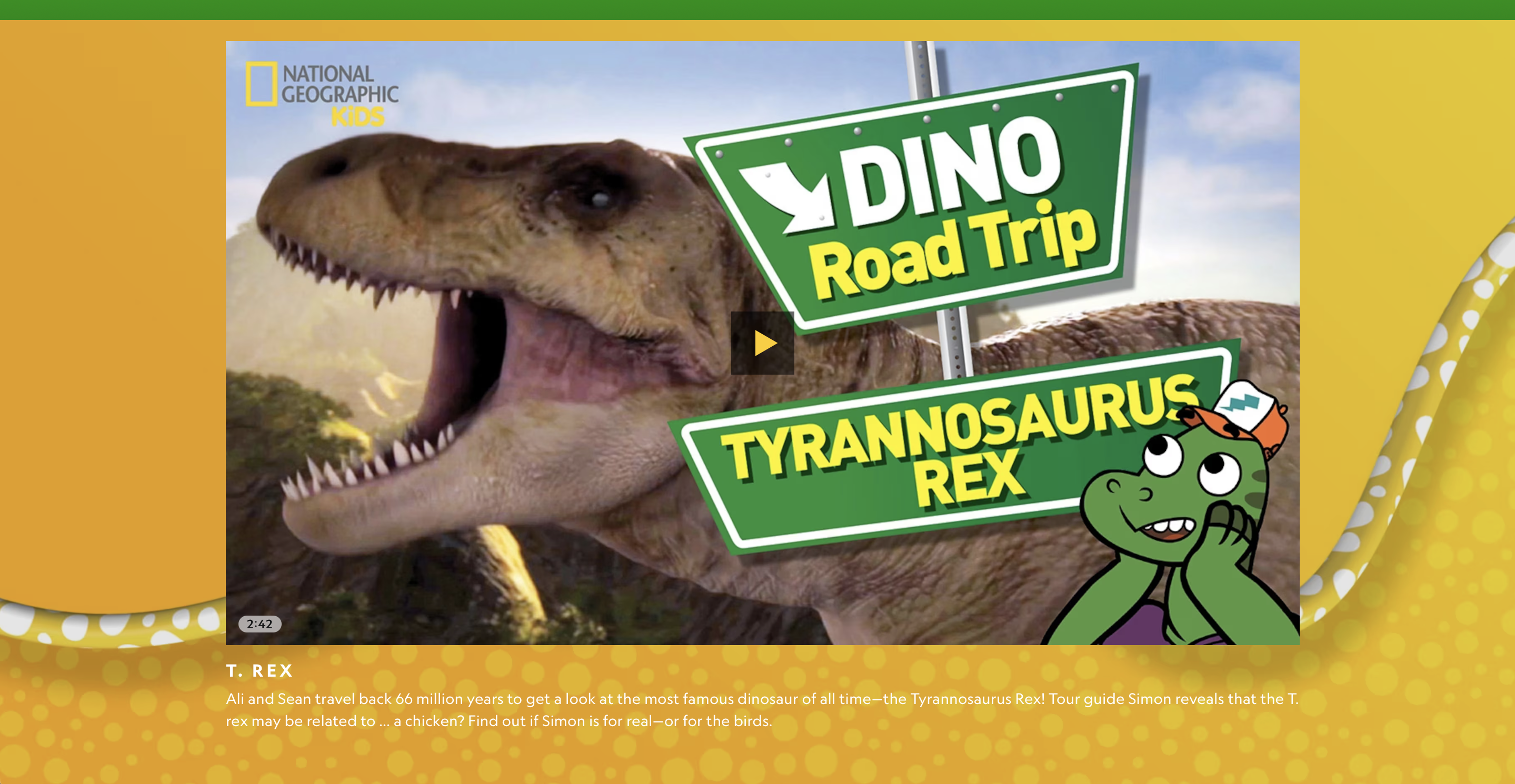
A usability and visual audit of the existing Nat Geo Kids website revealed several key pain points:

  • Text that is difficult to read, often competing with busy or low-contrast backgrounds
  • Odd or misplaced background visuals that distract from content
  • Dated graphic styles that no longer resonate with today’s digital-native kids
  • Jarring transitions between sections, making the experience feel fragmented
  • Unclear intent behind certain sections, raising the question:

What is National Geographic trying to achieve here?

These issues disrupted flow, reduced engagement, and diluted the educational impact of the site.
☆ What is National Geographic Kids trying to achieve?

National Geographic Kids is a resource for children aged 6–14, designed to spark curiosity and inspire a love of learning about the world—especially through science, nature, animals, and history.

The platform should allow kids to:

  • Explore their environment independently
  • Engage with educational content in a playful way
  • Learn through games, videos, and interactive experiences
  • Have fun while still trusting the credibility of the content

The redesign aimed to realign the website with this purpose.

☆ My Goal

How might we redesign the National Geographic Kids website to:

  • Encourage curiosity-driven exploration.
  • Improve content discoverability and readability.
  • Balance education with play and interactivity.
  • Create a visually exciting yet structured experience for kids.
✦ USER RESEARCH

☆ Understanding How Kids Learn Online

I conducted informal usability testing, competitive analysis, and secondary research focused on children aged 6–14 and their digital learning habits. Key insights included:

Short Attention Windows

  • Kids prefer content broken into digestible chunks.
  • Visual cues and icons help guide attention more effectively than text-heavy layouts.

Learning Through Play

  • Games, quizzes, and interactive visuals significantly increase engagement.
  • Rewards and visual feedback motivate continued exploration.

Visual First, Text Second

  • Bold imagery and illustrations attract initial attention.
  • Text needs to be scannable, large, and friendly in tone.

Trust Matters

  • Parents value educational credibility and safety.
  • Clean layouts and clear labeling reinforce trust in the content.

Who Are We Designing For?

Meet Morgan, a 9-year old who likes: weird or gross animal facts, frogs, sharks, and anything slightly scary, bright visuals and playful interactions.

Dislikes:

  • Long boooooring blocks of text
  • Confusing menus
  • Websites that feel “boring” or too grown-up

Goals & Motivations:

  • Wants to learn fun animal facts
  • Enjoys quizzes that tell them what animal they are
  • Likes watching short videos with sound effects and visuals
  • Enjoys exploring independently, but needs clear buttons and structure
✦ ITERATIVE DESIGN

Again, and Again: Designing Through Repetition

☆ Establishing Core Features
Based on research, I restructured the site around four core content pillars:

  1. Explore: Articles and visual stories about animals, science, and geography.
  2. Games: Games, quizzes, and interactive challenges.
  3. Videos: Short-form educational videos.
  4. Learn: Information about particular animals.

☆ Wireframing & Prototyping
I began with low-fidelity wireframes to establish layout clarity and hierarchy. I decided to use columns to ensure picture-perfect spacing. Key design decisions included:
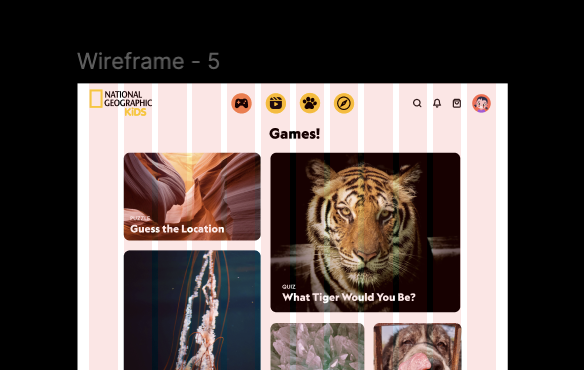
  • Card-Based Layouts: Modular cards make content feel approachable and easy to scan.
  • Visual Hierarchy: Large imagery paired with minimal text improves comprehension.
  • Guided Exploration: Clear CTAs like “Play Now” or “Discover More” encourage action.
  • Accessibility: Larger buttons, readable fonts, and high-contrast elements ensure usability.
✦ FINAL DESIGN

Finally

The redesigned National Geographic Kids website transforms learning into an interactive adventure:
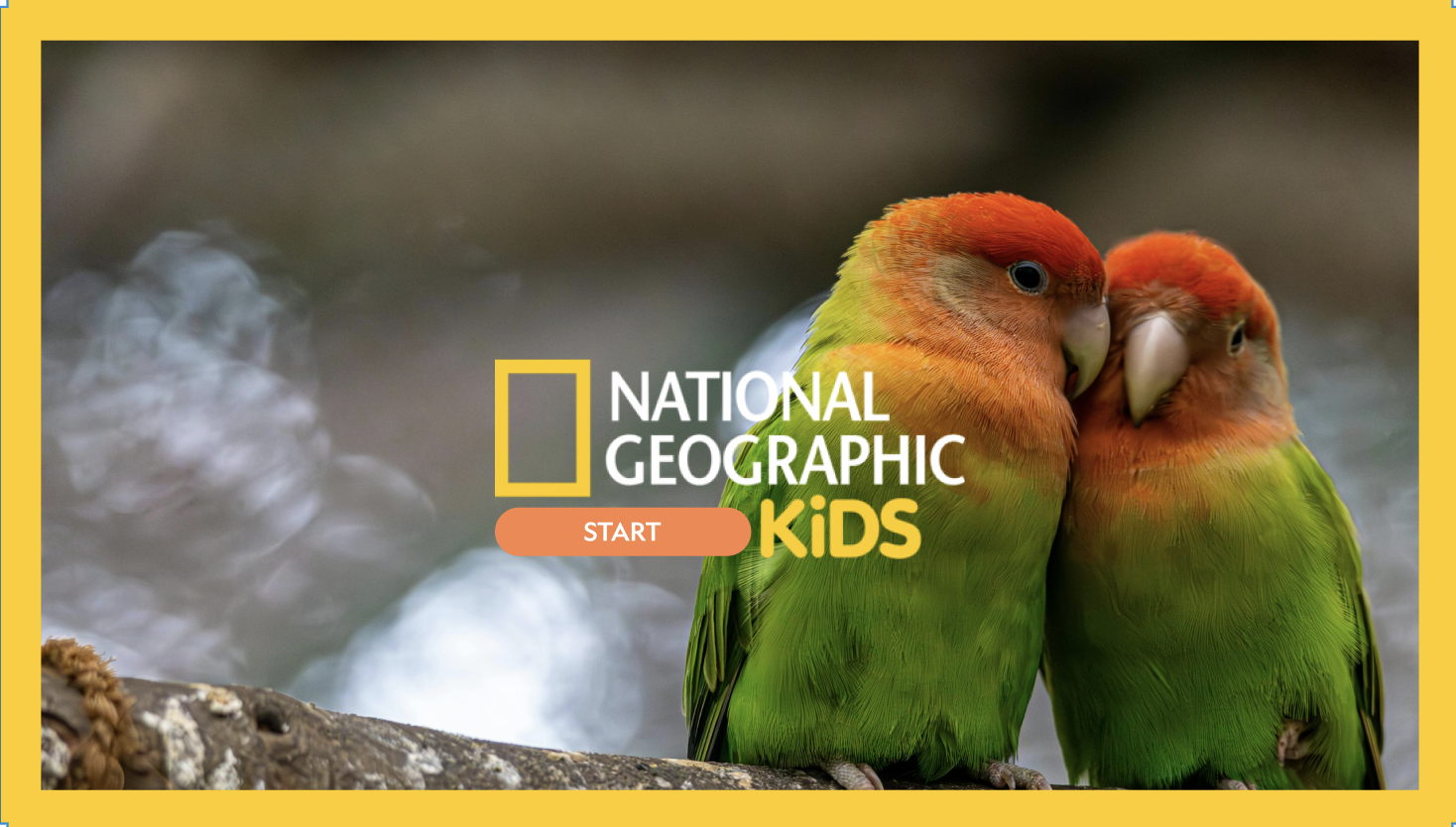
  • Homepage: A visually dynamic landing page that highlights featured topics without overwhelming users.
  • Explore Section: Story-driven content with strong visuals and simplified typography.
  • Play Section: Gamified learning experiences that reinforce educational concepts.
  • Watch Section: Bite-sized videos optimized for short attention spans.

Visual Design Choices

  • Bold Colour Palette: Inspired by National Geographic’s iconic yellow, balanced with playful accent colours (yes—red made the cut).
  • Friendly Typography: Rounded, legible fonts designed for young readers.
  • Illustrations & Icons: Custom icons and playful illustrations add warmth and personality.
  • Clean Grid System: Maintains structure while allowing for visual excitement.

✦ EPILOGUE

Final Thoughts!

What I Learned:

  • Designing for Kids ≠ Designing Simple: It requires clarity, intention, and restraint.
  • Visual Hierarchy Is Everything: Kids rely heavily on visual cues to navigate content.
  • Play Drives Learning: Interactivity transforms passive reading into active discovery.

Next Steps:

  • Conduct usability testing with children and parents.
  • Introduce progress-based learning paths.
  • Create a Dark Mode version of this website.
  • Add personalization features based on interests (animals, space, history).

This redesign reinforced the importance of designing with empathy—especially for younger users. By prioritizing curiosity, clarity, and play, the National Geographic Kids website becomes not just educational, but genuinely exciting to explore.